No time limit, no account, no watermark.

iPhone · Trades · Quotes
The quote is readybefore you leave the yard.
Speak the job. Quotebefore recognises the work, applies your prices and produces the finished quote.
3 quotes free. No credit card.
On the App Store in the United Kingdom.
33 quotes free. No credit card.
Unlike
A tool for the part that costs you time.
Quotebefore does not replace your bookkeeping. It turns a job into a finished quote.
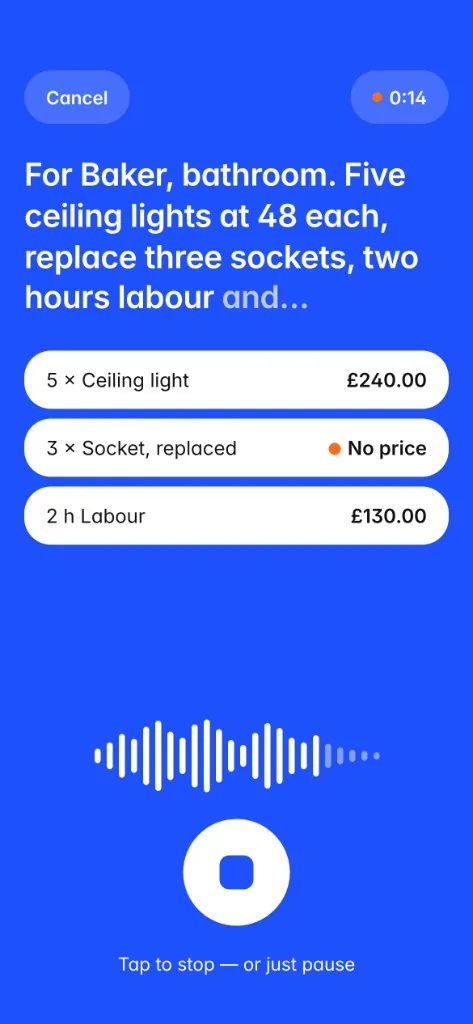
How it worksSay what needs doing.
No typing on site. Just speak the job.
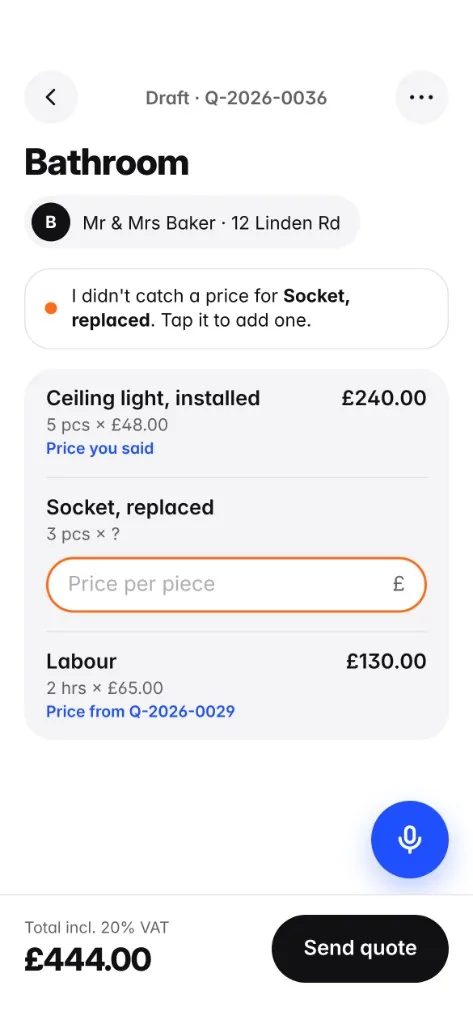
Quotebefore turns it into a quote.
Spoken work becomes clear line items. Description, quantity, unit.
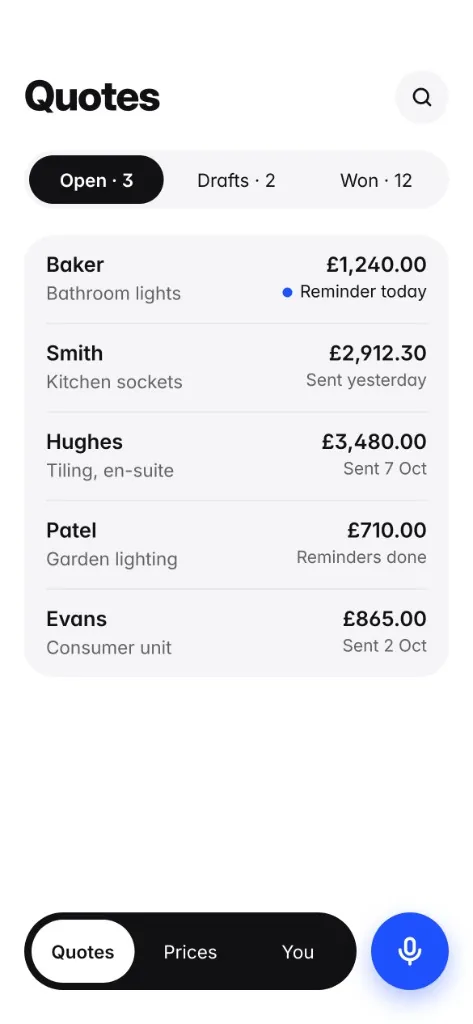
Your prices. Not ours.
Quotebefore remembers what you charge and suggests prices from your previous quotes.
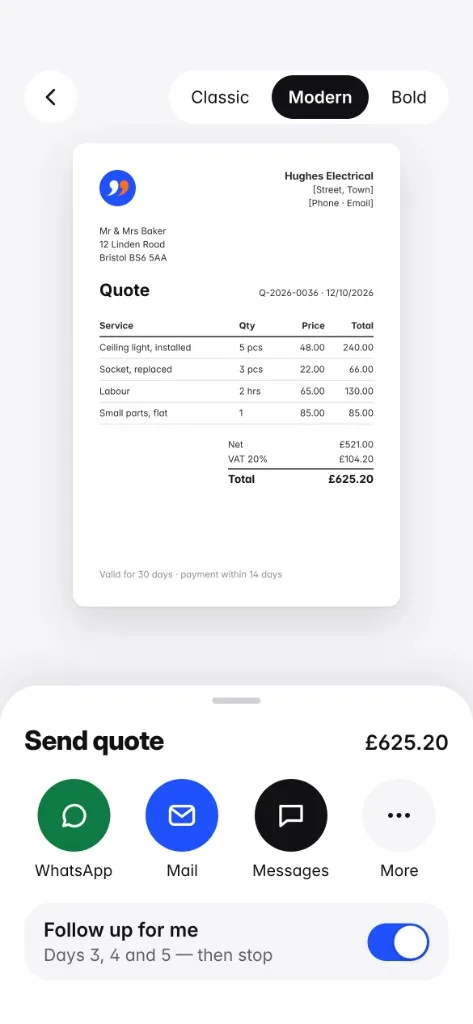
Quote ready.
Send it. Get back to the work.
The difference
What makes us different.
Full suites, cloud AIs and Word at the kitchen table all solve the same problem the long way. Quotebefore solves only this one.

Speak it, don’t type it.
No typing on site. Just dictate the job.
Your prices. Not ours.
There is no price list from us and no average from other firms.
No account. No server.
Speech recognition and extraction run on the iPhone.
Just the quote.
Quotebefore does not replace your bookkeeping. It turns a job into a finished quote.
Follow-up
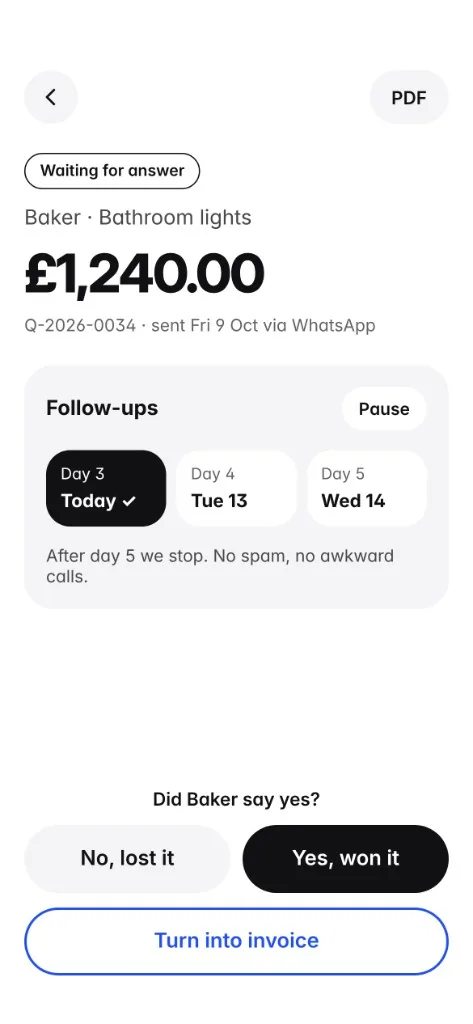
The app reminds you. You don’t have to remember.
After sending, a ready-worded text is waiting on working days 3, 7 and 12, for email or WhatsApp. Three times, then it stops.
Guides
Trade quotes, explained without the detour.
What belongs on a quote, how to finish it faster, and when follow-up saves the job.
Want a blank template instead? Free UK quote template


On the device
Your business stays yours.
“Retile the bathroom. 24 square metres of wall, 8 square metres of floor …”
No unnecessary cloud circus.
No account, no sign-in, no server of ours. Speech recognition and extraction run on the iPhone.
Your prices stay your prices.
There is no price list from us and no average from other firms.
Your data belongs to you.
Quotes, customer data and price history stay locally on the device.
Questions
What tradespeople ask first.
How do I write a quote quickly as a tradesperson?
With Quotebefore you describe the job right on site: the work, the quantity and, if you name it, the price. The app turns that into line items, fills in missing prices from your earlier quotes and produces a PDF on your letterhead.
Quote or estimate: which does Quotebefore produce?
A quote. You describe the job, the quantities, and your price, and Quotebefore produces the finished document.
What does a quote need to include?
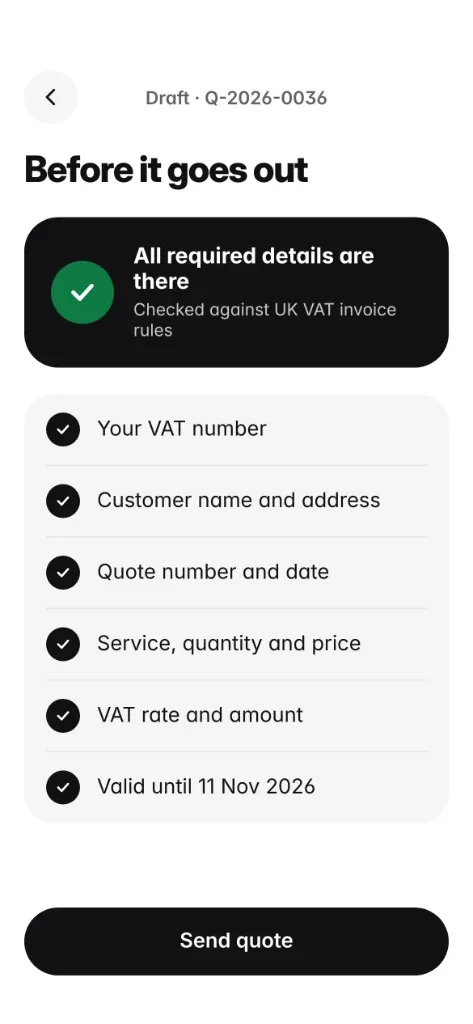
The job, the quantities, and your price. Quotebefore checks those fields before every export.
How does the app know my prices?
From your own quotes. On the first quote you enter the prices. On the next one, Quotebefore suggests them and shows which quote the price came from. There is no price list from us and no average from other businesses.
Do my prices and customer data leave the phone?
No. There is no account and no server of ours. Quotes, customer data and the price history sit locally on the iPhone. Speech recognition and line-item recognition run on the device.
What does Quotebefore cost?
The first three complete quotes are free, with no time limit and no watermark. After that the app costs £22.99 a month or £179.99 a year. The subscription runs through the App Store and can be cancelled at any time.
What does automatic follow-up mean?
After sending, Quotebefore reminds you on working days 3, 7 and 12, with a ready-worded text for email or WhatsApp. After three attempts the reminder stops.
Do I need an account?
No. You enter your business details once, because a complete quote needs them. There is no password and no confirmation email, and the purchase runs through your Apple ID.
Is there Quotebefore for Android?
Not yet. The first version is an iPhone app, because speech recognition and processing run on the device without a server.
Price
Three quotes. Free.
No time limit, no account, no watermark. Quotes count, not days.
Monthly£22.99per month, cancel any time
Yearly£179.99per year, cancel any time
Unlimited quotes, dictation, price memory and follow-up are included afterwards.
Dictating quotes with an app in 2026
Voice input on the iPhone, prices from your own quotes, and a check before export.
Following up quotes as a tradesperson
Timing, wording, a checklist and a clear limit.
Calculating your hourly rate as a tradesperson
Gather costs, check productive time, build the quote without made-up figures.