One job, from site visit to paid
Quotebefore is the job app for tradespeople on iPhone. You talk through the job on site, send the quote before you drive off, then run the work and get paid from the same screen.
Quotes, jobs and invoices in one app. No account, and it works with no signal.
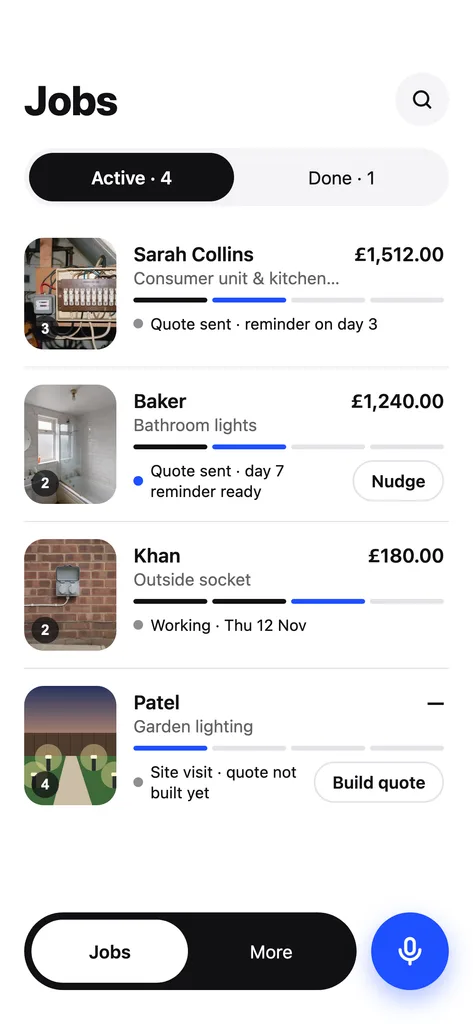
Win the job, run the job, get paid for it
Quote on site
Walk round, talk, and add photos and measurements as you go. The quote is built from your own price list before you leave the driveway.
Run the job
An accepted quote becomes a job with a start date. Its lines turn into a checklist, and the photos you take on site go straight into the job.
Get paid
The invoice is made from the quote and goes out with a job report that shows before and after photos. Reminders follow until it is paid.
Follow one real job through the app
This is the Collins job: a new consumer unit and three kitchen sockets. Every screen below is the same job, from the first walk round to the day it is paid.
 Step 01 / 07
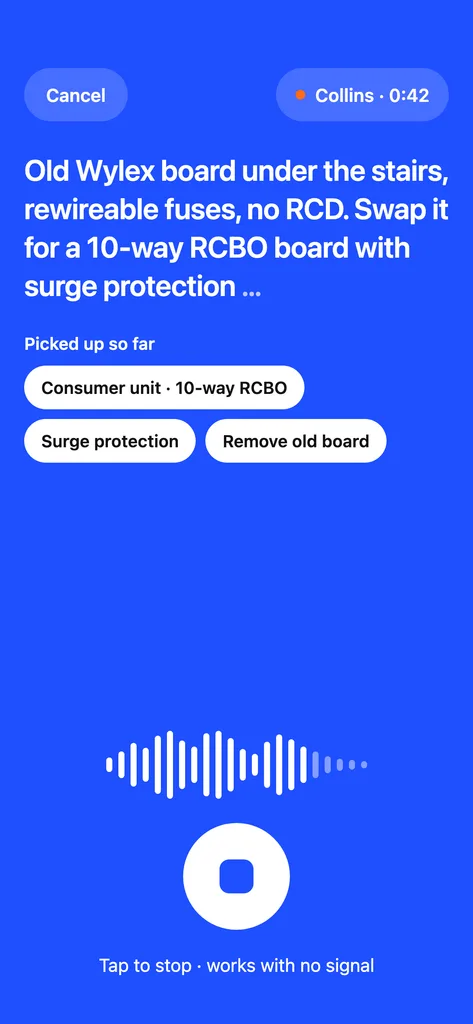
Talk through the job on site
Tap the blue mic and walk round. Say what needs doing in your own words, then add photos, measurements and private notes while you are still in the room.
- Speech recognition runs on your iPhone, not on our servers
- Recording works in lofts and basements with no signal
- Notes marked just for you never appear on the quote
Stage: Visit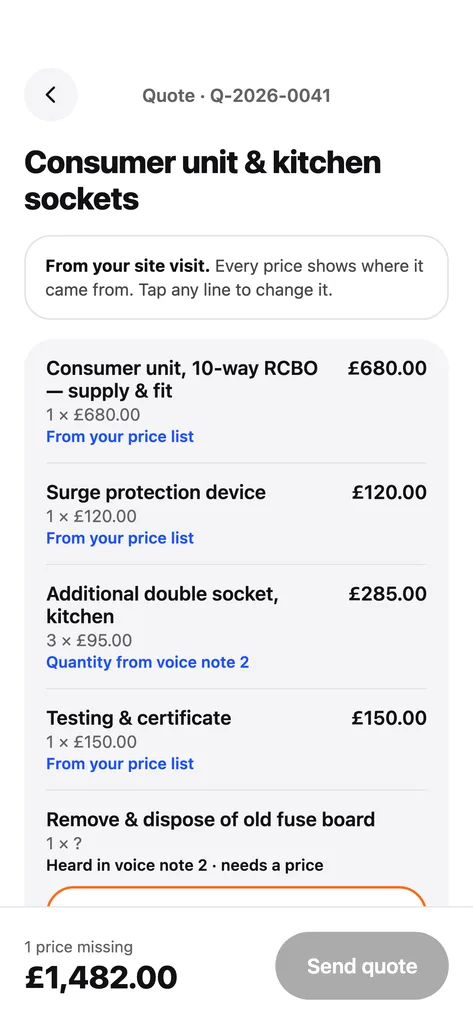 Step 02 / 07
Check the quote it builds
Quotebefore matches what you said to your own price list. Every line shows where its price came from, and a missing price is flagged before anything goes out.
- Prices come from your list, never from us
- VAT is calculated on the net total
- Valid for 30 days by default, and you can change the date
Stage: Quote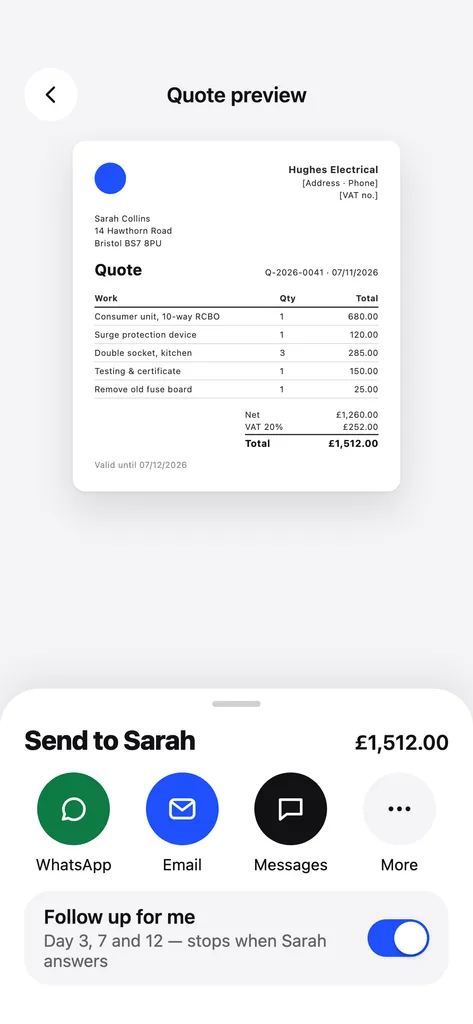 Step 03 / 07
Send it before you drive off
Send the PDF by WhatsApp, email or Messages. Quotebefore then reminds you on working days 3, 7 and 12, and it stops as soon as the customer answers.
- Your first 3 quotes are free, with no watermark
- No account and no sign-up before you send
Stage: Quote Step 04 / 07
Accepted? Pick a start date
When the customer says yes, the quote becomes a job. Pick the day you start, and the quote lines become the checklist for the work.
- The job keeps the photos, notes and voice notes from the visit
Stage: Work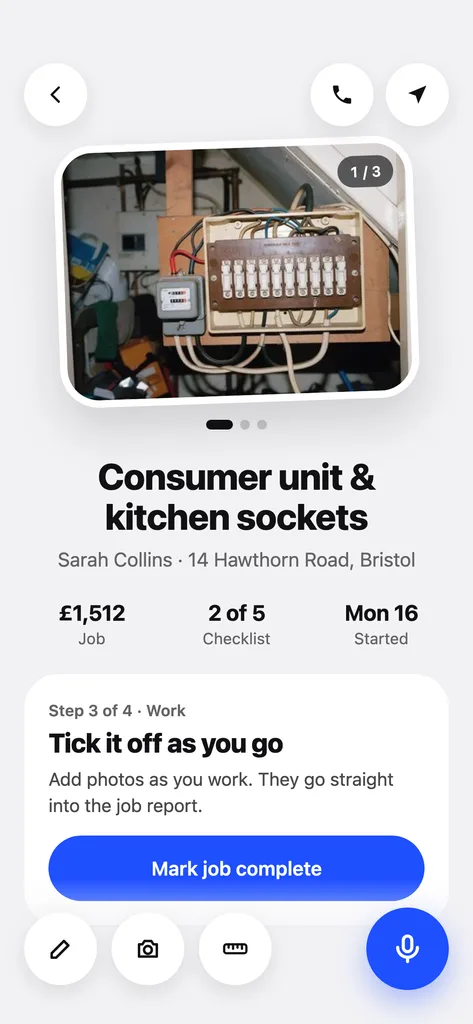 Step 05 / 07
Tick it off as you go
On site, the job shows what is done and what is left. Photos you take while you work go straight into the job report, so the paperwork builds itself.
- Call or navigate to the customer from the job screen
Stage: Work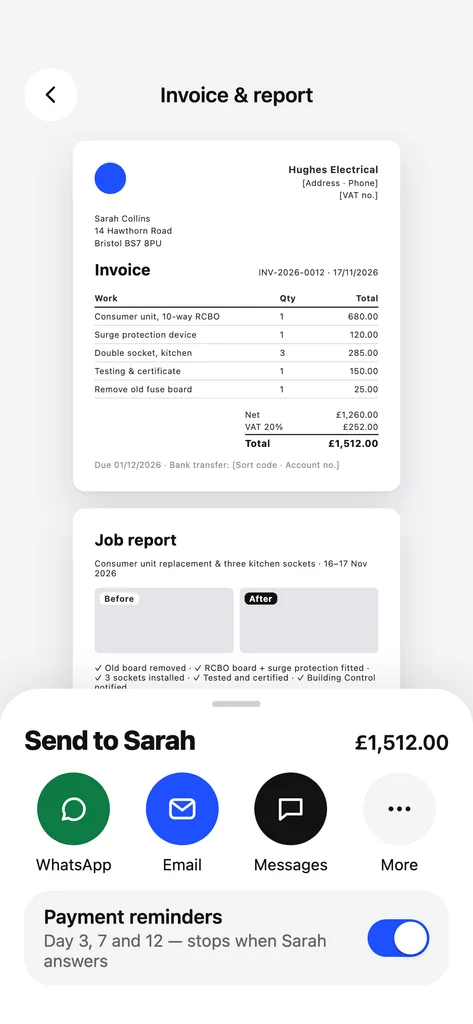 Step 06 / 07
Send the invoice and job report
When the job is done, the invoice is made from the quote. It goes out with a job report that lists the work and shows before and after photos.
- Your bank details print on the invoice
- You set the payment terms once, in the app
Stage: Paid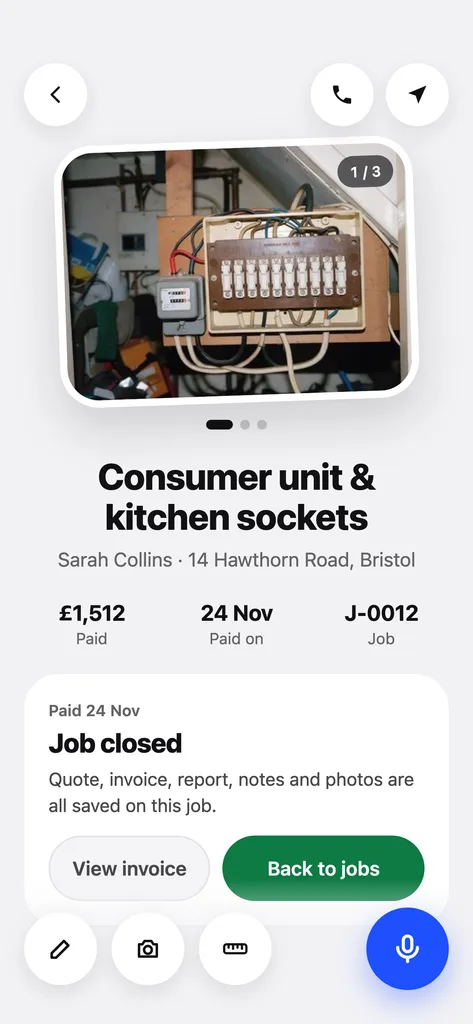 Step 07 / 07
Mark it paid, job closed
If payment is late, reminders go out on days 3, 7 and 12 after the due date. When the money arrives, mark it paid and the job moves to Done.
- The quote, invoice, report, notes and photos stay together on your iPhone
Stage: Paid
Made for places with no signal
Works with no signal
Lofts, basements and new builds. Recording, building the quote and the job checklist all work offline.
Stays on your iPhone
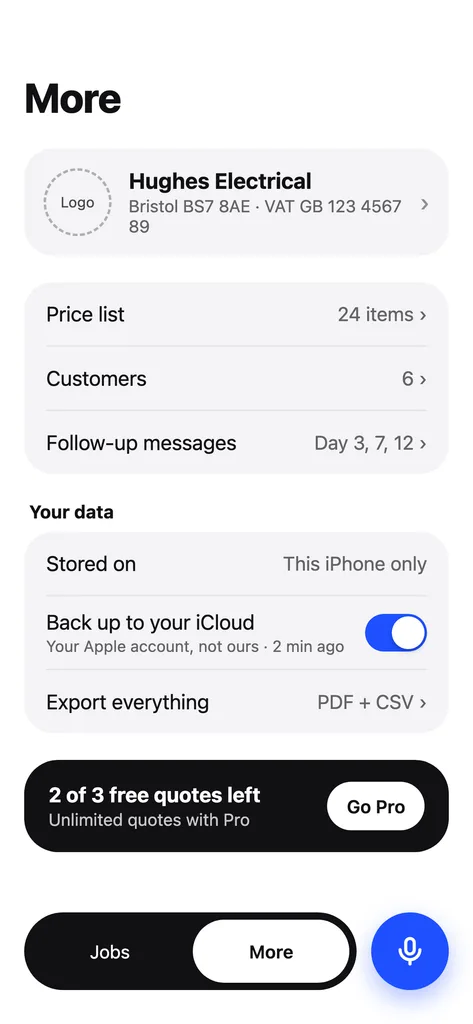
Jobs, prices and voice notes are stored on the phone. The backup goes to your own iCloud account, not to us.
No account to set up
Open the app and start. You can export everything as PDF and CSV whenever you want to.
What people ask before they switch
Is Quotebefore a quote app or a job management app?
Both. It starts with the quote, because that is where the job is won, and then carries the same job through the work, the invoice and the payment.
Do I need signal on site?
No. Recording the visit, building the quote and working through the checklist all happen on the iPhone. Sending needs a connection, the same as any message.
How do my customers pay?
By bank transfer to the details you add in the app, which print on every invoice. When the money arrives, you mark the job as paid.
What does it cost?
Your first 3 quotes are free and carry no watermark. After that, Quotebefore Pro is a subscription you start in the App Store.
Try it on your next site visit
Your first 3 quotes are free, and there is no account to create.
Start free